 Dead MMO
Controller
Dead MMO plays with an Xbox, PlayStation or Steam Deck pad, in fights and in every window. The default layout below came from a player's suggestion; the first layout is still there as "Classic".
Default layout
| Button (Xbox / PlayStation) | Does |
|---|---|
| Left stick | Move |
| Right stick | Turn the camera |
| A / × | Action slot 1 |
| B / ○ | Action slot 2 |
| X / □ | Action slot 3 |
| Y / △ | Action slot 4 |
| LT / L2 | Action slot 5 |
| RT / R2 | Action slot 6 |
| D-pad left / right | Action slots 7 / 8 |
| D-pad down | Action slot 9 |
| D-pad up | Action slot 11 |
| RB / R1 | Action slot 10 |
| LB / L1 | Interact / loot |
| R3 | Next target |
| L3 | Use a potion; hold for the potion wheel |
| Back / View / Create | Tap: bags (or the waiting prompt); hold: the quick menu |
| Start / Menu / Options | Back out: aiming, windows, the target, then the game menu |
Every button except Start can be rebound in Esc > Settings > Controls > Gamepad.
Menus and prompts
- Every window works with the pad: a gold frame shows the focus, A selects, B goes back, X is a right click and Y a Shift+click; LB / RB switch tabs and LT / RT pages. Hold A on an item to pick it up, A again to put it down.
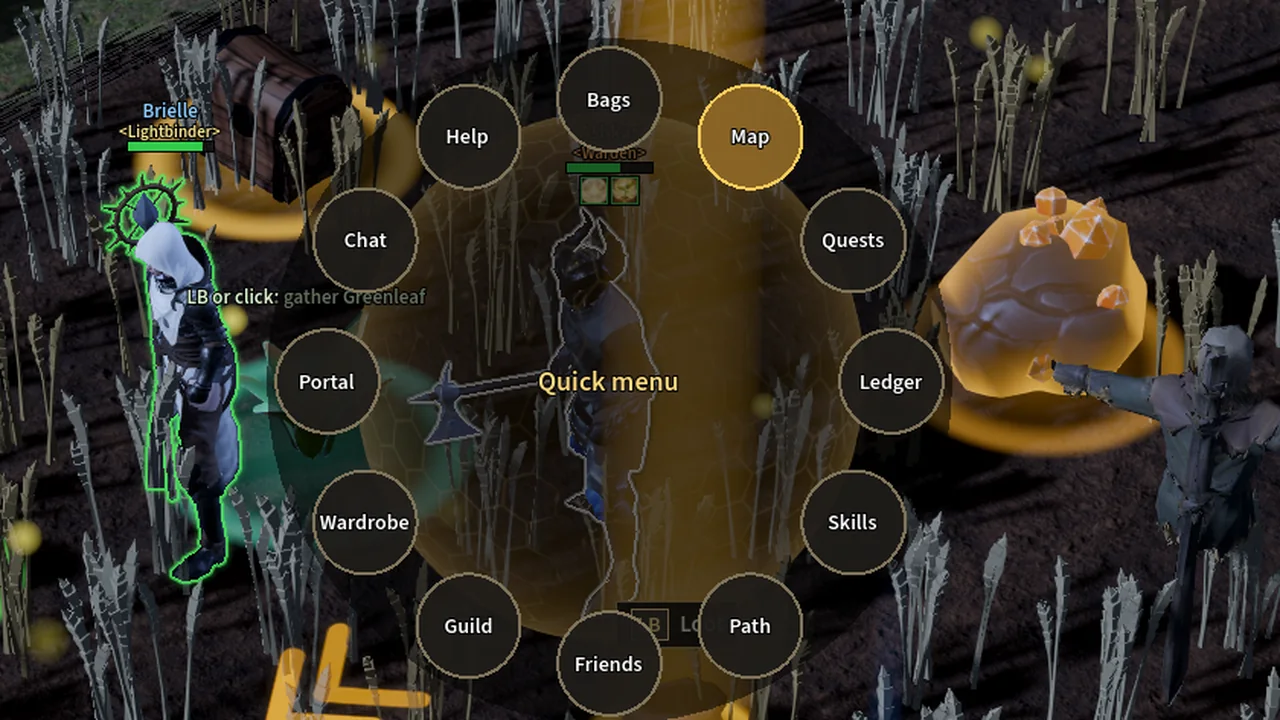
- The quick menu (hold Back): bags, map, quests, ledger, skills, path, friends, guild, wardrobe, portal, chat and help. Push a stick toward one and let go.
- The potion wheel (hold the potion button): the best potion for your level or any potion you carry.
- Prompts and the action bar show the pad's own buttons (Xbox, PlayStation or Steam Deck) after you touch the pad, and keys again after you use the keyboard or mouse. Settings > Button prompts can fix one.
- Text fields open the on-screen keyboard (the Steam keyboard on a Deck).
In a fight
- Aimed skills follow "Quick cast aimed skills": aim with the right stick, or cast at once at your target.
- Soft lock-on moves to the next enemy when your target dies, and the pad rumbles on hits and level-ups.
- Stick dead zone, camera speed and cursor speed are in Settings. While a menu has the pad, your character doesn't move or cast.